
Evidence and checks
Octryx AI does not take the agent's word for it. The platform checks, and every check leaves evidence on the run.
Red on the old code, green with the fix
In real runsFor a bug, the reproduction test must fail on the base commit and pass with the fix. The developer's machine checks out the base commit in a temporary worktree, copies in only the change's test files, and runs them with the repository's test command.
- A test that passes on the base proves nothing, and counts as not proven.
- A changed test file that no reproduction test names counts as not proven too.
- Without the verdict proven, no pull request is opened.
- The pull request gets a section "Reproduction proven on the base commit".
What is not counted against the agent: a test whose result cannot be attributed (the run pauses once with "Nothing was counted against the agent"), and an environment that is not ready (the run pauses; this is never a fix round).
The pipeline
In real runsThe pipeline is the single source of truth for "tests green". It runs the repository's declared test and system_test commands from .octryx/environment.json, without the agent, on the developer's machine, and reports exit codes, output and per-test results. The server never runs repository code.
- A red pytest run is repeated once with only the failed tests. The first flaky test still passes; flaky again in the same run counts as red.
- A push goes out only for the exact tree of the last green pipeline.
The browser test
In real runsFor an app with a UI, the platform tries it in a real browser.
- The agent does not write its own exam. The platform's reviewer model writes the scenarios after the building phase. The agent sees only the steps that failed.
- Regression scenarios together cover: the app loads, data survives a reload, the empty state, a 390 px phone, a 1280 px desktop, and invalid input. At most 20 scenarios with 40 steps each.
- A time budget of 10 minutes by default.
- Scenarios run side by side, each in its own browser profile. A scenario that is red side by side runs once more alone; green alone is reported as parallel interference, never as red. A repository can opt out (
serve.parallel: false). - Before a restart inside a scenario, the machine lets the app settle: it waits for the network to go idle (at most 5 seconds), then 1 second for storage writes.
Fair browser tests
BuiltA scenario that cannot work on this app is not the agent's fault. The machine re-runs every failed feature scenario on the base commit. If it fails there at the same step, before the step it checks, it is marked invalid and counted as passed with the note "tests nothing". There are two forms: the data is lost after a restart, or a setup step already fails on the base commit. A regression scenario that already fails on the base is marked pre-existing and never blocks. Both are remembered as app facts ("setup step failed on this app's base: …"). The next scenario writer gets them together with the platform's scenario hints, for example "a form is saved with its Save button; Enter usually moves to the next field", so later scenarios do not repeat the mistake.
A platform admin can waive named scenarios with a reason; the waiver is kept on the run.
Independent review
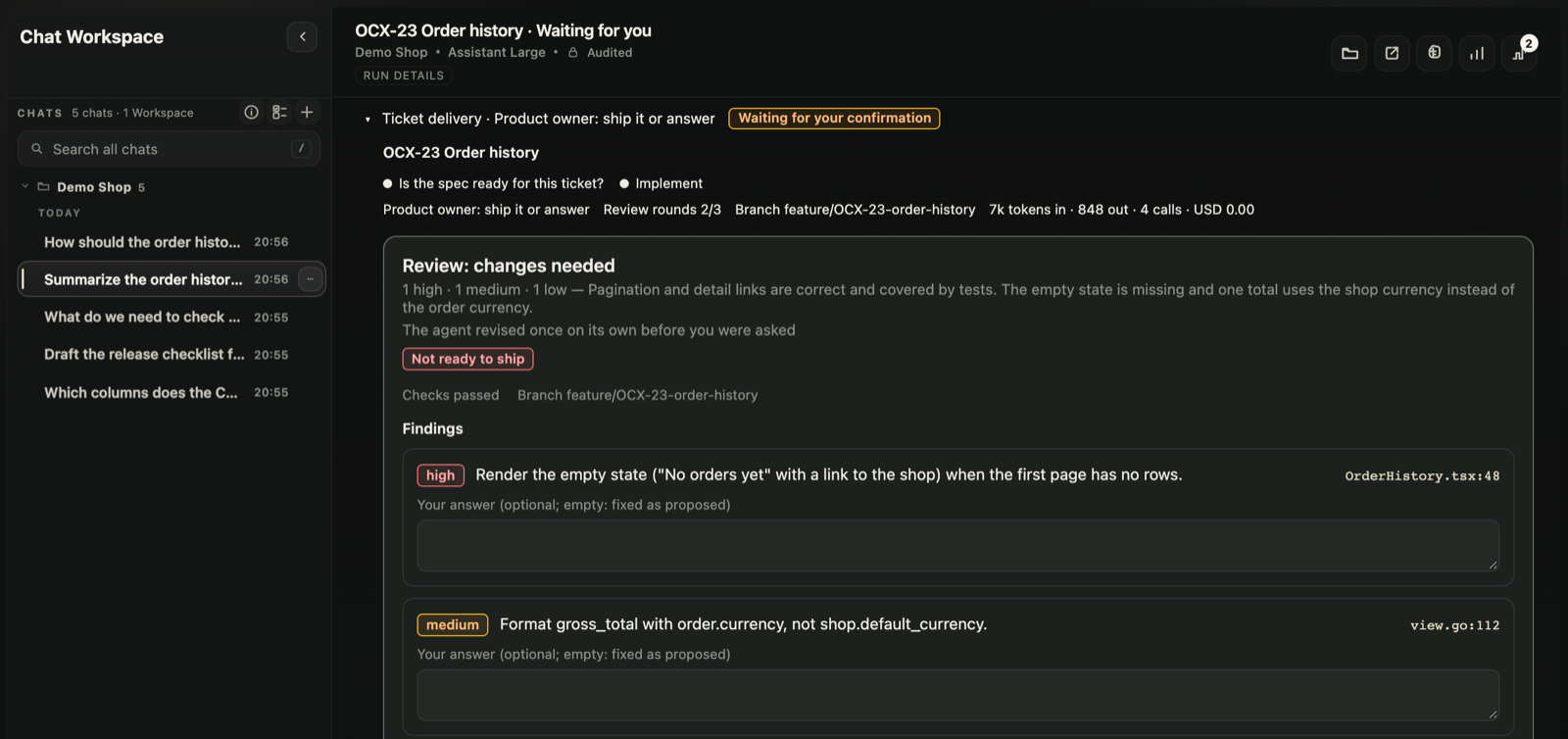
A separate review reads the change: a fresh session with no tools and no history of the author, seeing only facts the server read. It prefers a different model from the author's; when it has to share the model, that is recorded. A review that gives no verdict never passes. The verdict names the tree it reviewed, and only that tree is pushed.
Approvals
- Decisions in a workflow (readiness, product-owner decisions, functional acceptance) name who may decide.
- The responsible person of a run (the requester, or for an automatic start the reporter or assignee) decides in addition, never instead.
- Four-eyes approvals: the approver must differ from the requester and the authors. A deploy needs a four-eyes approval in the current pass of the run; this is checked when the workflow is published and again at runtime. Four-eyes approvals are given in the web app, never from the launcher.
What is enforced and what is information
The platform enforces a small hard core: no shell command may write to git's own files, to environments such as .venv/ or node_modules/, or outside the repository. On the machine, credential files, uploads, git push and the clients of Git hosts and Jira are refused. Confirmed tests cannot be edited, except for a pure reformatting; the same comparison decides whether a confirmed test is still intact.
The developer's machine redacts secret values in every job output (test output, errors, tool output) before it is sent; the server redacts again when showing it. One list of known secret forms serves both. See Secret redaction.
Everything else the agent learns, such as which test command works, is information, never a permission.